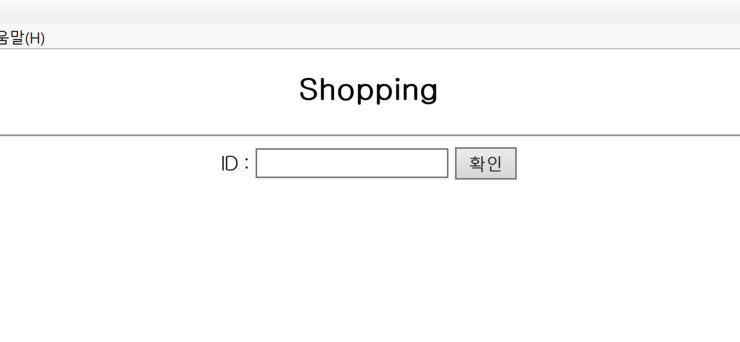
Login.jsp
1 2 3 4 5 6 7 8 9 10 11 12 13 14 15 16 17 18 19 20 21 22 23 24 25 26 | <%@ page language="java" contentType="text/html; charset=EUC-KR" pageEncoding="EUC-KR"%> <% request.setCharacterEncoding("euc-kr"); %> <!DOCTYPE html PUBLIC "-//W3C//DTD HTML 4.01 Transitional//EN" "http://www.w3.org/TR/html4/loose.dtd"> <html> <head> <meta http-equiv="Content-Type" content="text/html; charset=EUC-KR"> <title>Shopping</title> </head> <body> <center> <h2>Shopping</h2> <hr> <form method="post" action=setProduct.jsp> ID : <input type="text" name=Id> <input type="submit" value="확인"> </form> </center> <% session.setAttribute("Id", request.getParameter("Id")); %> </body> </html> |
setProduct.jsp
1 2 3 4 5 6 7 8 9 10 11 12 13 14 15 16 17 18 19 20 21 22 23 24 25 26 | <%@ page language="java" contentType="text/html; charset=EUC-KR" pageEncoding="EUC-KR"%> <% request.setCharacterEncoding("euc-kr"); %> <!DOCTYPE html PUBLIC "-//W3C//DTD HTML 4.01 Transitional//EN" "http://www.w3.org/TR/html4/loose.dtd"> <html> <head> <meta http-equiv="Content-Type" content="text/html; charset=EUC-KR"> <title>Shopping</title> </head> <body> <center> <h2>Shopping</h2> <hr> <form method="post" action=setProduct.jsp> ID : <input type="text" name=Id> <input type="submit" value="확인"> </form> </center> <% session.setAttribute("Id", request.getParameter("Id")); %> </body> </html> |
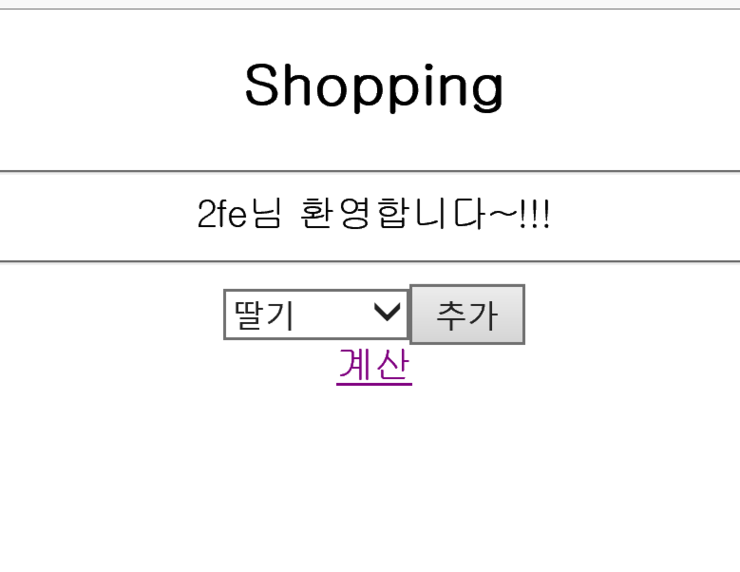
add.jsp
1 2 3 4 5 6 7 8 9 10 11 12 13 14 15 16 17 18 19 20 21 22 23 24 25 26 27 28 29 30 31 32 33 34 35 | <%@page import="java.util.ArrayList"%> <%@page import="com.sun.corba.se.spi.orbutil.fsm.Action"%> <%@ page language="java" contentType="text/html; charset=EUC-KR" pageEncoding="EUC-KR"%> <% request.setCharacterEncoding("euc-kr"); %> <!DOCTYPE html PUBLIC "-//W3C//DTD HTML 4.01 Transitional//EN" "http://www.w3.org/TR/html4/loose.dtd"> <html> <head> <meta http-equiv="Content-Type" content="text/html; charset=EUC-KR"> <title>상품추가/Shopping</title> </head> <body> <% if (session.getAttribute("Id") == null || session.getAttribute("Id") == "") response.sendRedirect("Login.jsp"); %> <% String productname = request.getParameter("product"); ArrayList addlist = (ArrayList) session.getAttribute("productlist"); if (addlist == null) { addlist = new ArrayList(); } session.setAttribute("productlist", addlist); addlist.add(productname); %> <% out.println("<script> alert('상품이 추가되었습니다.'); history.go(-1);</script>"); %> </body> </html> |
checkOut.jsp
1 2 3 4 5 6 7 8 9 10 11 12 13 14 15 16 17 18 19 20 21 22 23 24 25 26 27 28 29 30 31 32 33 34 35 36 37 38 39 40 41 42 43 44 45 46 47 48 | <%@page import="java.util.ArrayList"%> <%@ page language="java" contentType="text/html; charset=EUC-KR" pageEncoding="EUC-KR"%> <% request.setCharacterEncoding("euc-kr"); %> <!DOCTYPE html PUBLIC "-//W3C//DTD HTML 4.01 Transitional//EN" "http://www.w3.org/TR/html4/loose.dtd"> <html> <head> <meta http-equiv="Content-Type" content="text/html; charset=EUC-KR"> <title>장바구니/Shopping</title> </head> <body> <% if (session.getAttribute("Id") == null||session.getAttribute("Id")=="") response.sendRedirect("Login.jsp"); %> <center> <h2>Shopping</h2> <hr> 장바구니에 담겨진 물건들 <hr> <% ArrayList addlist = (ArrayList) session.getAttribute("productlist"); if (addlist == null) { out.println("Empty"); } else { for (int i = 0; i < addlist.size(); i++) { out.println(addlist.get(i) + "<br>"); } } %> <% session.setAttribute("Id", session.getAttribute("Id")); session.setAttribute("addlist", addlist); %> <input type="button" name=b1 value="뒤로가기" onclick="location.href='setProduct.jsp'"> <input type="button" name=b2 value="로그아웃" onclick="location.href='Login.jsp';session.invalidate();"> </form> </center> </body> </html> |
'
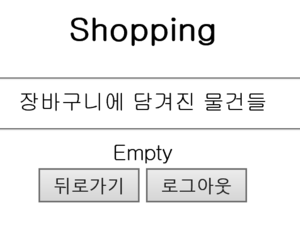
이 결과는 장바구니에 아무것도 없을 때 입니다.
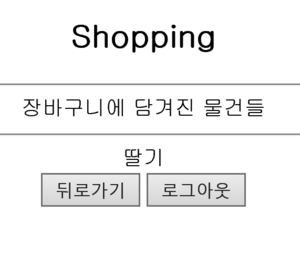
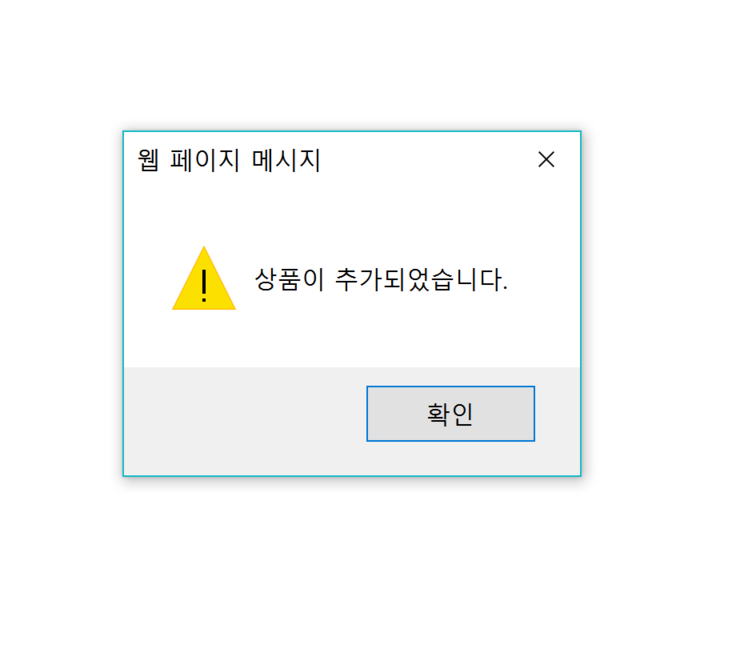
장바구니에 추가해줬을 때 결과입니다.
장바구니 예제입니다. histoty.go(-1)를 쓴 이유는 바로 전 페이지로 넘어가기 위해서 썼습니다.
로그인이 안 되었을 때 넘어가는 상황들을 모두 response.sendRedirect() 메서드를 이용해 모두 Login.jsp로 넘겼습니다.
또, 로그아웃이 되었을 땐 session을 죽이는 session.invalidate()를 이용합니다.
'code > JSP' 카테고리의 다른 글
| [JSP] 장바구니 1분 지나면 자동적으로 세션 만료하기 (0) | 2017.04.20 |
|---|---|
| [JSP] 절대경로와 상대경로 (0) | 2017.04.20 |
| [JSP] 자바 빈즈 이용한 예제 (0) | 2017.04.20 |
| [JSP]Application, Session, Request 예제 (0) | 2017.04.20 |
| [JSP] 템플릿/template과 include를 이용한 예제 (0) | 2017.04.20 |